Bank Statement to PDF Converter — Searchable PDF from Scans
Convert scanned bank statements to clean, searchable PDF files. Extract text from images and export structured PDF with organized transactions.
Use the same upload flow to convert files into clean, accounting-ready output with no merged cells.
Apply this workflow in seconds
Upload your file, review the extracted table, and export clean Excel or CSV output for accounting tools.
Drop Image / PDF
Or Ctrl+V paste
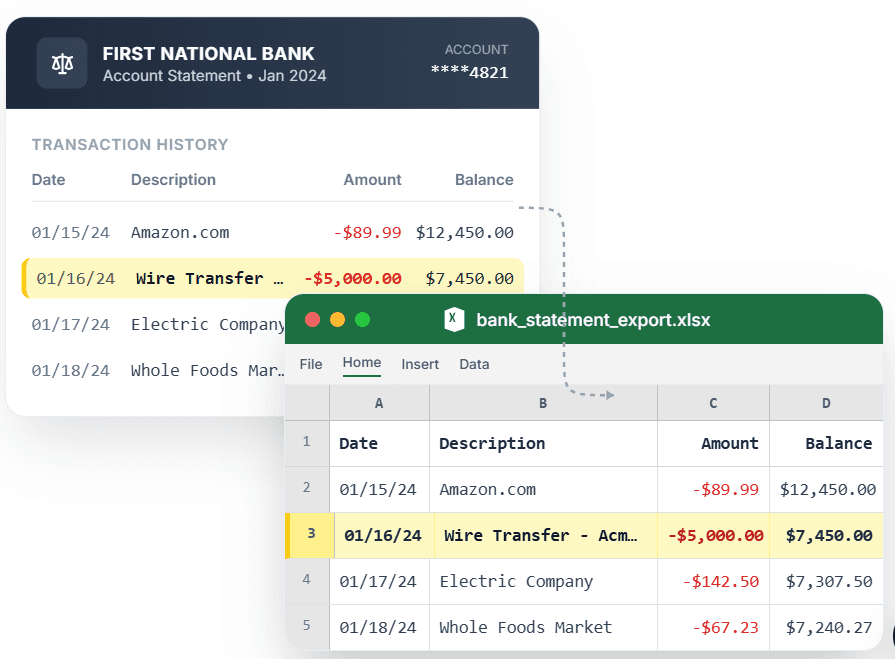
PDF → Clean Excel with separated columns, no merged cells.
Photographed or scanned bank statements are just images — you cannot search them, copy transactions, or extract data. CleanStmt converts your scanned bank statement images into clean, searchable PDF files with extracted text. Upload a photo or scan, and the tool uses OCR to recognize all transaction text, then exports a structured PDF where every transaction is searchable and copyable. Perfect for archiving statements, building digital records, or preparing files for accountants.
What you need
- A bank statement photo or scan (JPG, PNG, HEIC, or existing PDF)
- Any device with a browser
- No account or credit card required
How it works — three steps, under a minute
- 1Upload a photographed or scanned bank statement image (JPG, PNG, HEIC).
- 2CleanStmt extracts all transaction text using OCR.
- 3Download a searchable PDF with organized, copyable transaction data.
Why use CleanStmt for this
Built so the export is ready the moment you download it.
Searchable Text
Find specific transactions, dates, or amounts using PDF search — no manual scanning through pages.
Organized Structure
Transactions are extracted and organized in the PDF, making it easy to review and reference.
Archival Quality
Convert old paper statements into searchable digital records for long-term storage.
Who uses this workflow
Record Keepers
Digitize paper statement archives into searchable PDF files.
Accountants
Convert client scanned statements into searchable PDFs for review.
Small Business Owners
Build digital statement archives that are searchable and organized.
Individuals
Convert photographed statements into proper PDF format for records.
CleanStmt vs generic converters
Generic tools export a file. CleanStmt exports a file you can actually use.
| Feature | Other Services | CleanStmt |
|---|---|---|
| Text searchability | Image-only PDF, no search | Fully searchable, copyable text |
| Organization | Flat image scan | Structured transaction data |
| Source format | PDF input only | Photos, scans, and PDFs accepted |
Frequently asked questions
Can I convert a photographed bank statement to searchable PDF?
Yes. Upload a photo (JPG, PNG, HEIC) and CleanStmt uses OCR to extract all text, then exports a searchable PDF where you can find and copy transactions.
Will the PDF have organized transaction data?
Yes. Transactions are extracted and structured in the PDF, making it easy to review dates, descriptions, and amounts.
Can I use this to digitize old paper statements?
Yes. Photograph or scan old paper statements and convert them into searchable PDF files for archival.
Does it work with existing PDF statements?
Yes. If your existing PDF is an image-only scan, CleanStmt extracts the text and creates a searchable version.
Is my financial data kept private?
Yes. Files process in memory and auto-delete within one hour, with no human review.