Convert Bank Statement PDF to QIF — Import Transactions into Quicken
Convert bank statement PDFs to QIF format instantly. Import transactions into Quicken, GnuCash, or any QIF-compatible app without online banking access.
Use the same upload flow to convert files into clean, accounting-ready output with no merged cells.
Apply this workflow in seconds
Upload your file, review the extracted table, and export clean Excel or CSV output for accounting tools.
Drop Image / PDF
Or Ctrl+V paste
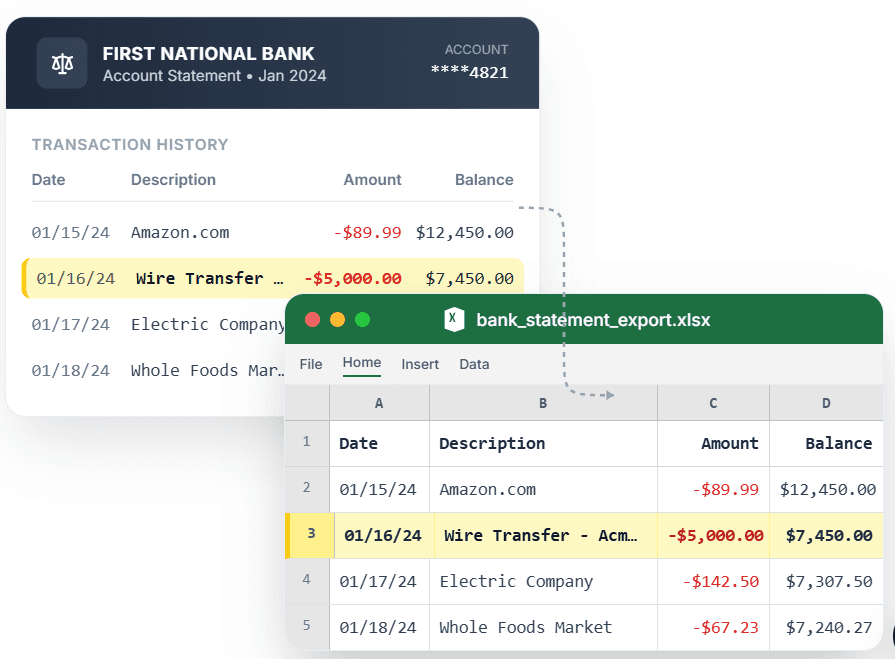
PDF → Clean Excel with separated columns, no merged cells.
QIF (Quicken Interchange Format) is one of the most widely supported import formats for personal-finance and accounting software — but getting a QIF file from a bank statement PDF is not straightforward. CleanStmt solves that: upload your PDF statement, and it extracts transactions into a properly formatted QIF file you can import into Quicken, GnuCash, KMyMoney, or any QIF-compatible application. It handles messy layouts, scanned statements, and screenshots — outputting clean date, payee, and amount fields every time.
What you need
- A bank statement as a PDF, scan, or screenshot
- Any device with a browser
- No account or credit card required to start
How it works — three steps, under a minute
- 1Upload your bank statement PDF, screenshot, or scanned image.
- 2CleanStmt extracts transactions with date, payee, and signed amount.
- 3Download the QIF file and import it into Quicken or your preferred software.
Why use CleanStmt for this
Built so the export is ready the moment you download it.
Standard QIF Bank Format
Produces a !Type:Bank QIF file with D (date), T (amount), and P (payee) fields accepted by Quicken, GnuCash, and KMyMoney.
Works on Old Statements
Convert archived PDF statements that your bank no longer provides for direct download.
Clean Payee & Amount Fields
Special characters and embedded newlines are stripped so the QIF imports without errors.
Who uses this workflow
Quicken Users
Import historical or paper statements where Quicken Direct Connect is unavailable.
GnuCash & KMyMoney Users
Bring PDF statements into open-source finance software via QIF import.
Bookkeepers
Generate QIF files from client PDFs for batch transaction import.
Individuals Switching Banks
Migrate transaction history from old PDF statements into a new finance app.
CleanStmt vs generic converters
Generic tools export a file. CleanStmt exports a file you can actually use.
| Feature | Other Services | CleanStmt |
|---|---|---|
| Source | Requires bank's QIF export feature | Any PDF, scan, or screenshot |
| Historic statements | Limited to what the bank provides online | Convert any statement regardless of age |
| Output quality | Manual re-entry or broken CSV | Clean payee and amount fields, import-ready |
Frequently asked questions
Can I convert a bank statement PDF to QIF without logging into my bank?
Yes. CleanStmt converts any PDF, scan, or screenshot of a bank statement into a QIF file — no bank login or online banking access needed.
Which software accepts the QIF file CleanStmt produces?
The QIF Bank format is accepted by Quicken, GnuCash, KMyMoney, Microsoft Money, and most other personal-finance applications.
Are debits and credits signed correctly in the QIF file?
Yes. Credits are positive and debits are negative, matching the QIF convention for bank accounts.
Can I convert scanned or photographed statements to QIF?
Yes. CleanStmt handles scanned documents and phone photos in addition to digital PDFs.
Is my financial data kept private?
Yes. Files are processed in memory and auto-deleted within one hour, with no human review.