Use Case
Scanning Invoices into QuickBooks Without Manual Entry
Scanning invoices into QuickBooks without manual entry. Upload a scanned invoice PDF or image, extract clean line items, and download a QuickBooks-ready CSV in seconds.
Use the same upload flow to convert files into clean, accounting-ready output with no merged cells.
Scan or upload your invoice — PDF, JPG, and PNG all work.
Review extracted vendor, date, and amount fields with no merged cells.
Export a QuickBooks-ready CSV and import it straight into your books.
Apply this workflow in seconds
Upload your file, review the extracted table, and export clean Excel or CSV output for accounting tools.
Primary keyword focus: scanning invoices into quickbooks
Workflow Preview Placeholder
Drop Image / PDF
Or Ctrl+V paste
Paste supported
|Max 10 MBOutput Preview
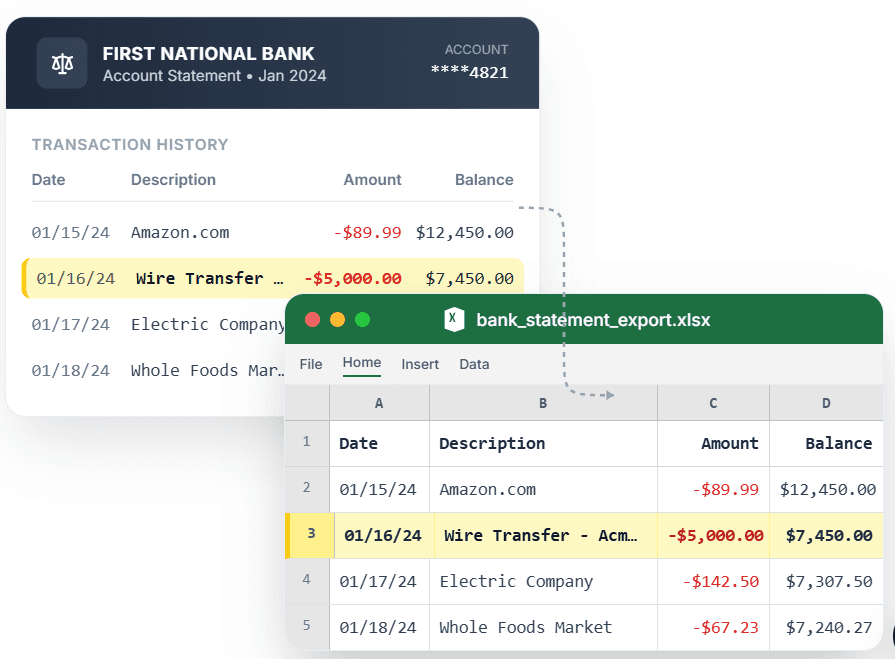
PDF → Clean Excel with separated columns, no merged cells.
Popular bank statement converters
Convert Chase StatementConvert Bank of America StatementConvert Wells Fargo StatementConvert Citibank StatementConvert Capital One StatementConvert U.S. Bank StatementConvert PNC Bank StatementConvert Truist Bank StatementConvert Marcus Statement
View all conversion use cases