Convert Invoice PDFs to Excel — Extract Line Items Automatically
Extract line items, totals, and vendor details from invoice PDFs into a clean Excel spreadsheet. Works with scanned and digital invoices.
Use the same upload flow to convert files into clean, accounting-ready output with no merged cells.
Apply this workflow in seconds
Upload your file, review the extracted table, and export clean Excel or CSV output for accounting tools.
Drop Image / PDF
Or Ctrl+V paste
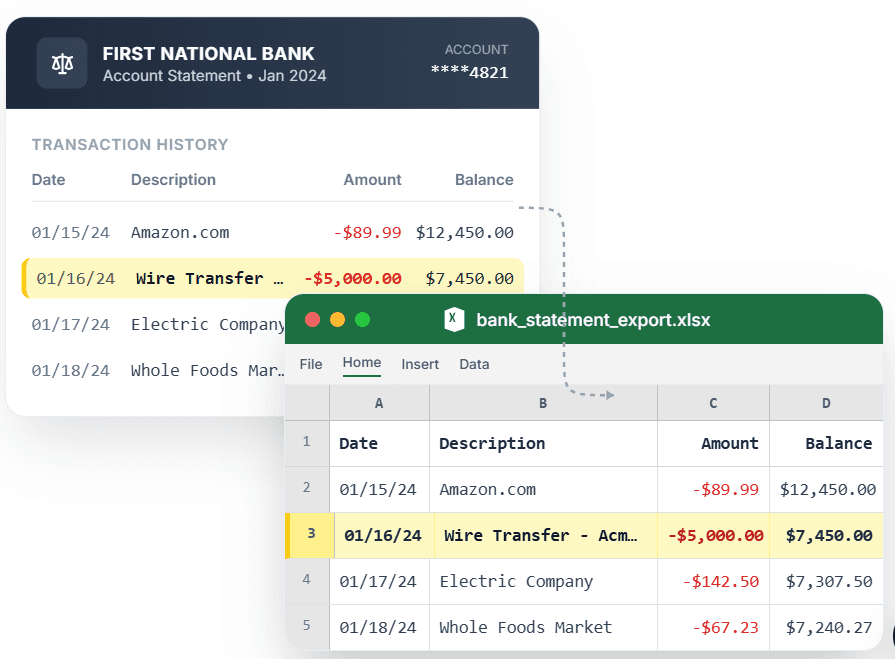
PDF → Clean Excel with separated columns, no merged cells.
An invoice PDF is easy to read and painful to analyze. The moment you need totals in a spreadsheet — for a budget, a vendor report, or accounting — you are stuck retyping line items by hand. CleanStmt converts invoice PDFs to Excel by pulling the vendor, line items, quantities, and totals into clean, structured rows. Scanned or digital, single invoice or a batch, you get a spreadsheet with no merged cells and columns that line up for analysis and import.
What you need
- An invoice as a PDF, scan, or image
- Any device with a browser and an internet connection
- No account or credit card required to start
How it works — three steps, under a minute
- 1Upload your invoice PDF or image — scanned or digital both work.
- 2Review extracted vendor, line items, and totals with no merged cells.
- 3Export to Excel or CSV and import into your accounting workflow.
Why use CleanStmt for this
Built so the export is ready the moment you download it.
Line-Item Extraction
Each line item becomes its own row with quantity, description, and amount.
Vendor & Totals Captured
Vendor details and invoice totals export into dedicated columns for reporting.
Scanned or Digital
Works on photographed, scanned, and native PDF invoices alike.
Who uses this workflow
Accountants
Pull invoice line items into Excel for client reporting and imports.
Small Business Owners
Build vendor spend reports without retyping every invoice.
Procurement Teams
Analyze line items and totals across many supplier invoices.
Bookkeepers
Convert invoice PDFs into clean rows for the accounting system.
CleanStmt vs generic converters
Generic tools export a file. CleanStmt exports a file you can actually use.
| Feature | Other Services | CleanStmt |
|---|---|---|
| Line items | Collapsed into one cell or lost | Each line item on its own row |
| Vendor & totals | Scattered or missing | Captured in dedicated columns |
| Input | Digital PDFs only | Scanned and digital invoices |
Frequently asked questions
Can I convert an invoice PDF to Excel with line items intact?
Yes. CleanStmt extracts each line item onto its own row, with quantity, description, and amount in separate columns, plus the vendor and totals.
Does it work on scanned invoices as well as digital PDFs?
Yes. CleanStmt converts both scanned or photographed invoices and native digital PDFs into the same clean Excel structure.
Can I export to CSV instead of Excel?
Yes. You can download the extracted invoice as Excel or CSV, depending on what your accounting workflow needs.
Is my invoice data kept private?
Yes. Files are processed in memory and auto-deleted within one hour, with no human review.
Do I need an account to convert an invoice to Excel?
No. You can convert an invoice PDF to Excel without signing up or entering a credit card.